Many agents
Run several Claude Code agents without losing track of them.
Two agents in two terminals is fine. Five across three projects is where you start asking which one was waiting for you. Paw gives every agent a chat, shows who is working, and lets them share a task list and talk to each other.

Keeping track
You see the state without opening anything.
A chat per agent
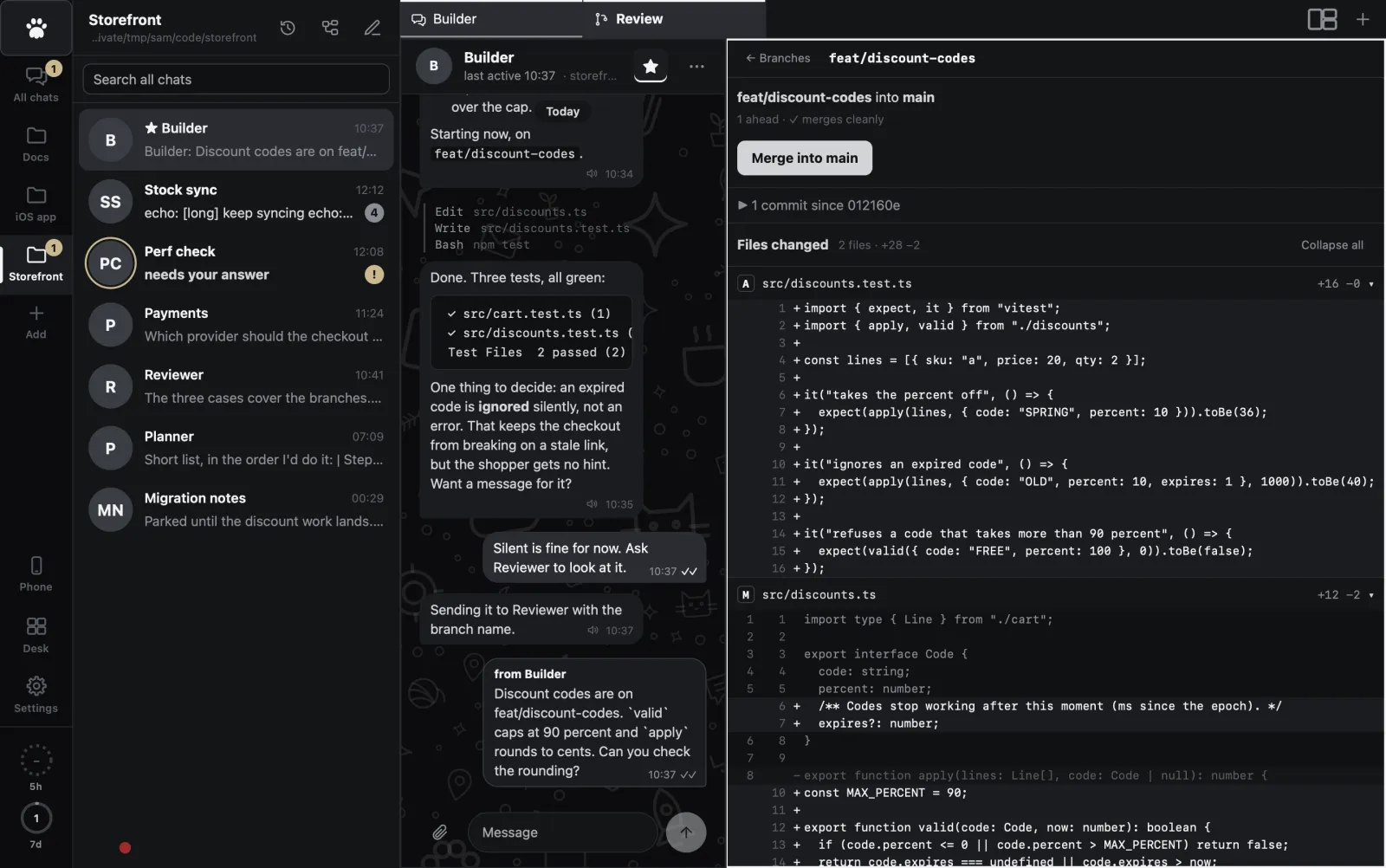
Each agent has its own chat in a project folder, with its own model and effort. A ring shows it is working. A badge counts what you have not read. "Needs your answer" shows in the list.
The Desk
One card per project on one screen: how many chats are working, how many need you, unread messages, open tasks and running terminals. A project that needs you is the loudest card.
Alerts that mean it
Notifications for a finished long task, an agent that needs you, or something that went wrong. You never get one for the chat you are looking at.
Usage rings
Two rings show how much of your Claude plan you used in the last 5 hours and 7 days, so several agents don't surprise you with a limit.
Working together
Agents that can ask each other.
Inside a project, agents are not strangers. They can read each other's chats, message each other, share one task list and use the same notes. A message from another agent shows as "from Builder", so you always know who said what.
- Tasks: Doing, Blocked, To do and Done, claimed by an agent or by you
- Notes the agents and you both edit, with a history
- They can look at your project's terminals, and type into them where you can watch
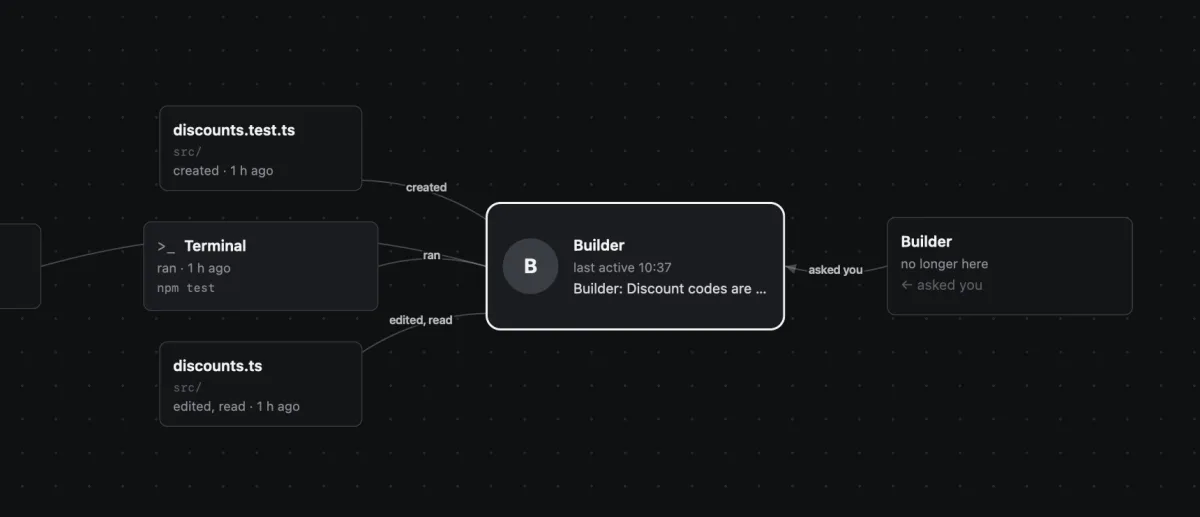
- The Map shows one conversation in the middle with the files, notes, terminals and other agents it touched
Before it lands
Review what they did, then merge.
The Review tab lists each branch with how far ahead or behind main it is, whether it merges cleanly, and which agent works on it. Read the diff, comment on a line, send the comments to that agent, and merge when you are happy.
The real limits
What Paw does not do for you.
- Agents in one project trust each other. An agent can read the project's other chats, notes and terminals. Another project is out of reach.
- Agents run with Claude Code's permission prompts off, so they work unattended. Look at their diffs in Review and keep your work in git.
- Two agents editing the same files can collide. The agents of a project work in the same folder, so give them different branches or different parts of the code.
- More agents use more of your Claude plan. The usage rings show it, they don't cap it.
- Paw runs Claude Code only. It does not run other AI tools.
Keep reading
Keep them working
Put Paw on a server so agents go on while your laptop sleeps.
Try it on your own agents.
Paw is a private beta for Apple Silicon Macs. Write for the next batch and say what you run Claude Code on.