Paw gives every Claude Code agent its own chat, groups them by
project, and puts files, terminals, a browser and a task list
right beside them. It runs on your Mac or on your own server. Your
phone gets the same app.
demos/chat-teamBuilder, Reviewer and Planner, chatting
A live demo, not a video. Tap the buttons, step through it.
A chat per agentProjectsReal terminalsA browser agents can driveDiffs and reviewTasks shared with agentsNotes with diagramsTiling like macOSHistory of every conversationVoice in, voice outWorks offlineRuns on your own serverA chat per agentProjectsReal terminalsA browser agents can driveDiffs and reviewTasks shared with agentsNotes with diagramsTiling like macOSHistory of every conversationVoice in, voice outWorks offlineRuns on your own server
The tour
Everything an agent needs, in one window.
You stop juggling terminals. You talk to the agent and watch what
it touches.
01
Chat
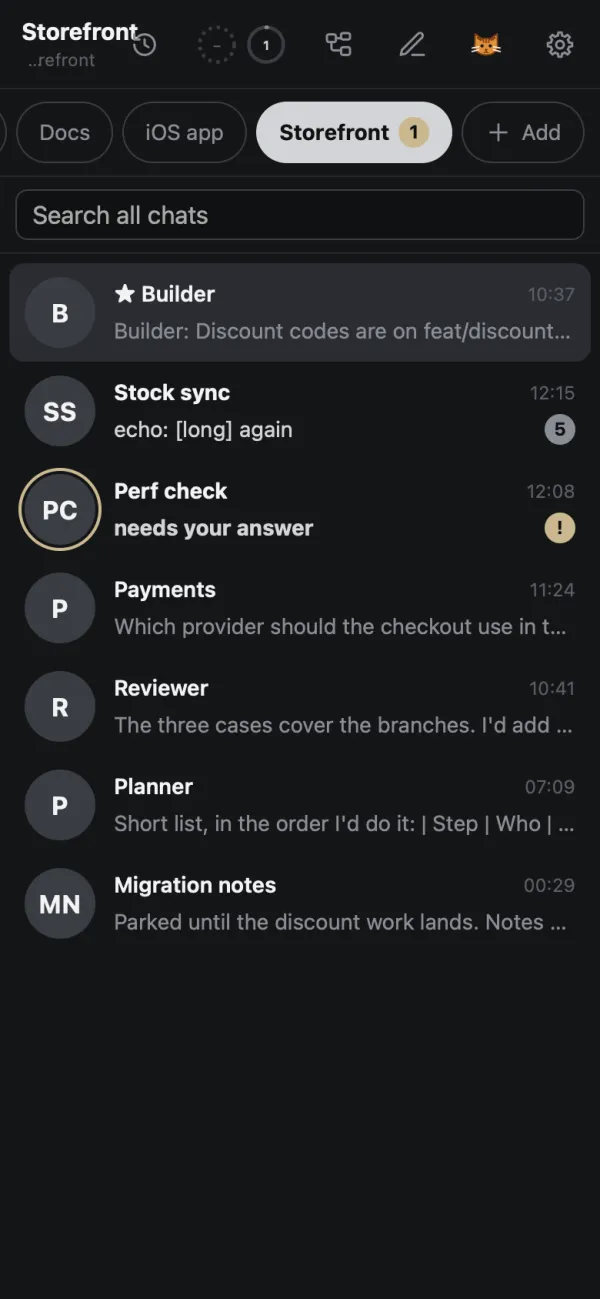
One agent, one chat.
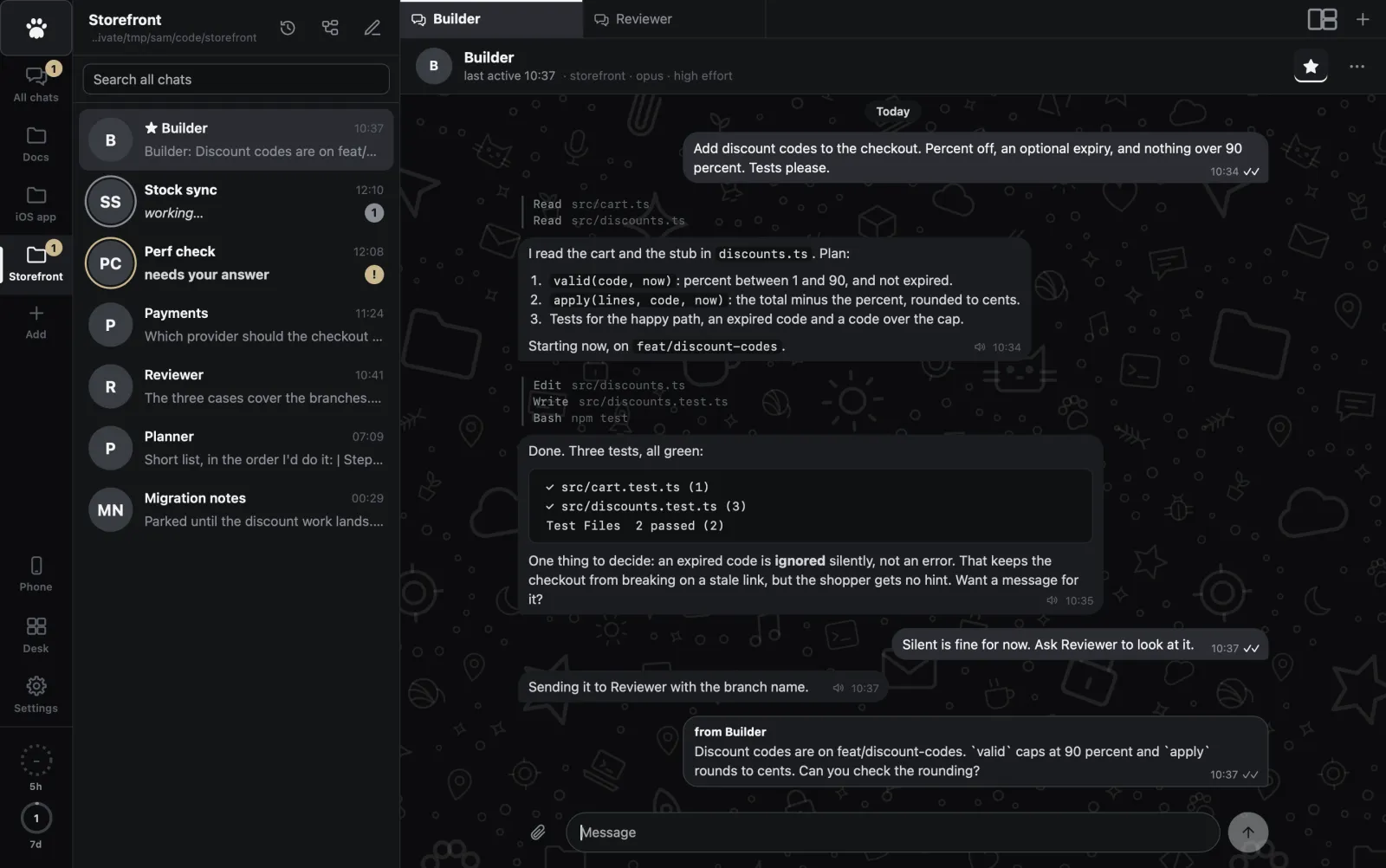
Every agent is a chat in a list, like the messenger on your
phone. Projects are folders. Starred chats stay awake and sit on
top. A ring on the avatar means working, a badge means it needs
you.
Agents start on your first message and sleep after the idle
time you set
A small holder process keeps each one alive through restarts
Model and effort per chat: Opus, Fable, Sonnet, Haiku, low to
max
Paw, Storefront
02
Questions
Claude asks, you tap.
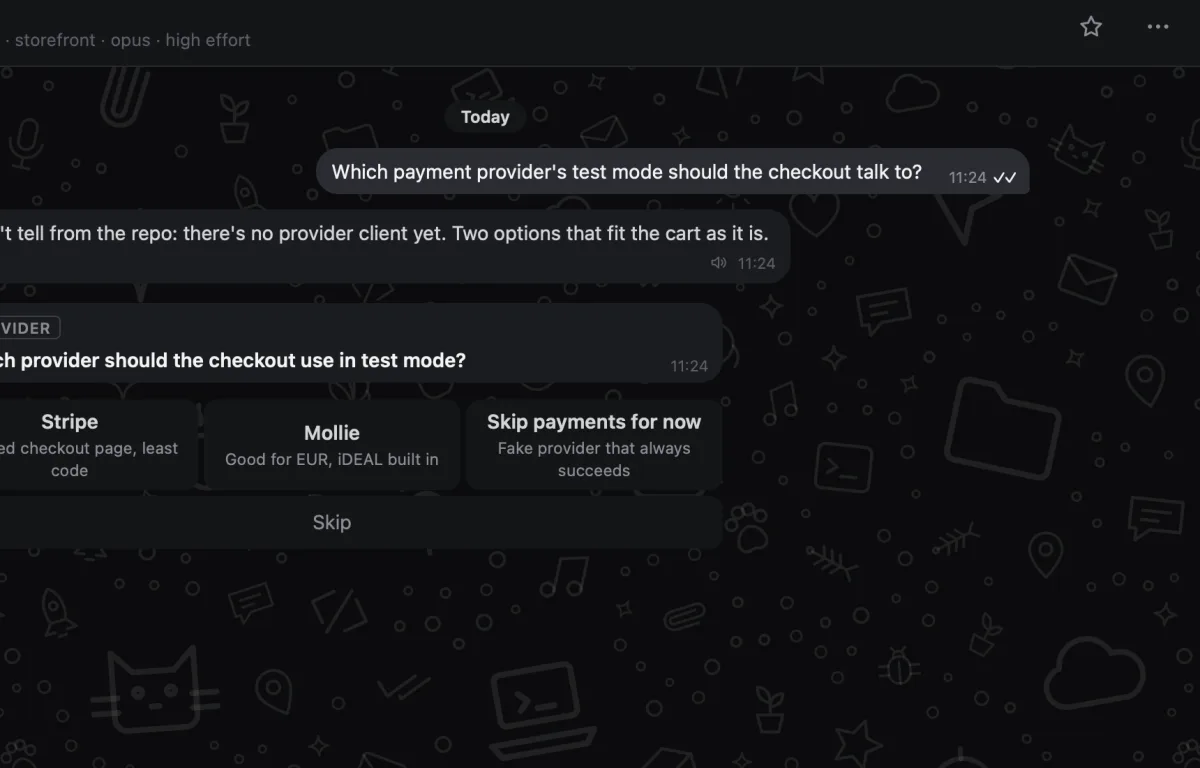
When an agent needs a decision, the question lands in the chat
as buttons. Tap one and it carries on. You get one notification
when a task finishes and one when something needs you, on the
Mac and as phone push.
A chat that is waiting on you gets a badge and a bold line in
the list, so you see it without opening anything.
Paw, Payments
03
Team
They work as a team.
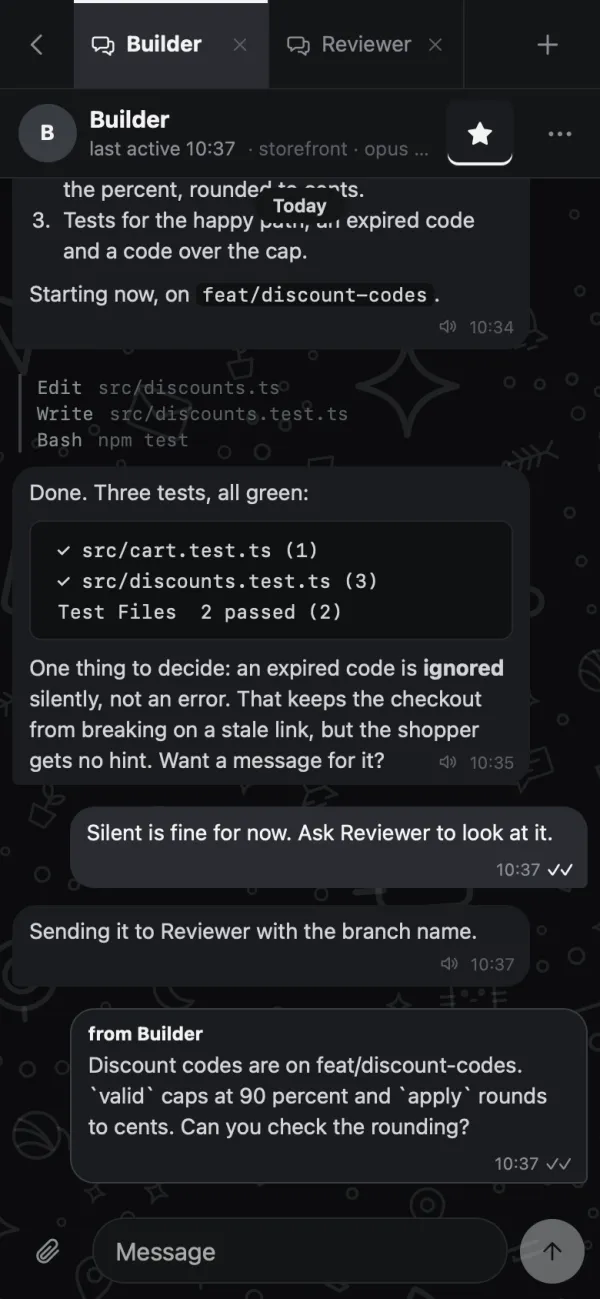
Agents message each other and you see it: "from Builder". They
share one task list, read each other's chats, notes and
terminals, and send you files, pictures, HTML reports and
diagrams.
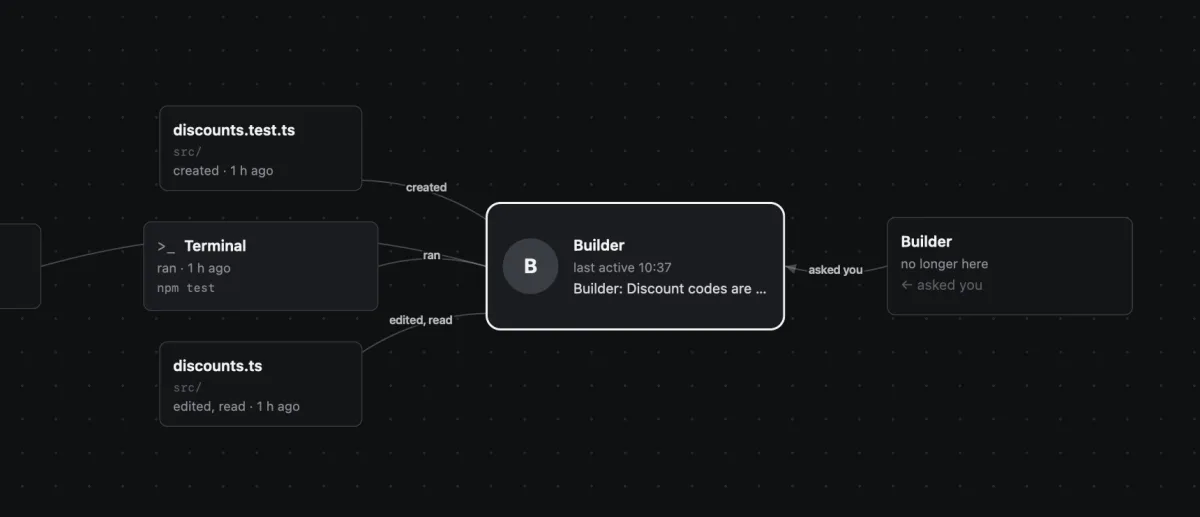
The Map puts one conversation in the middle, with what it
touched around it
No copy and paste between agents: they just ask each other
Paw, the Map of Builder
04
The Desk
Every project at a glance.
The Desk lays your projects out as cards on a table you arrange.
Each card says who is working, who needs you, what is unread,
how many tasks are open and how many terminals run. The one that
needs you is the loudest, by weight and a badge, not by colour.
Alt+M opens it from anywhere.
demos/deskProject cards with live status
Drag a card. It snaps to the grid and never lands on another.
05
Workspace
Everything is next to the chat.
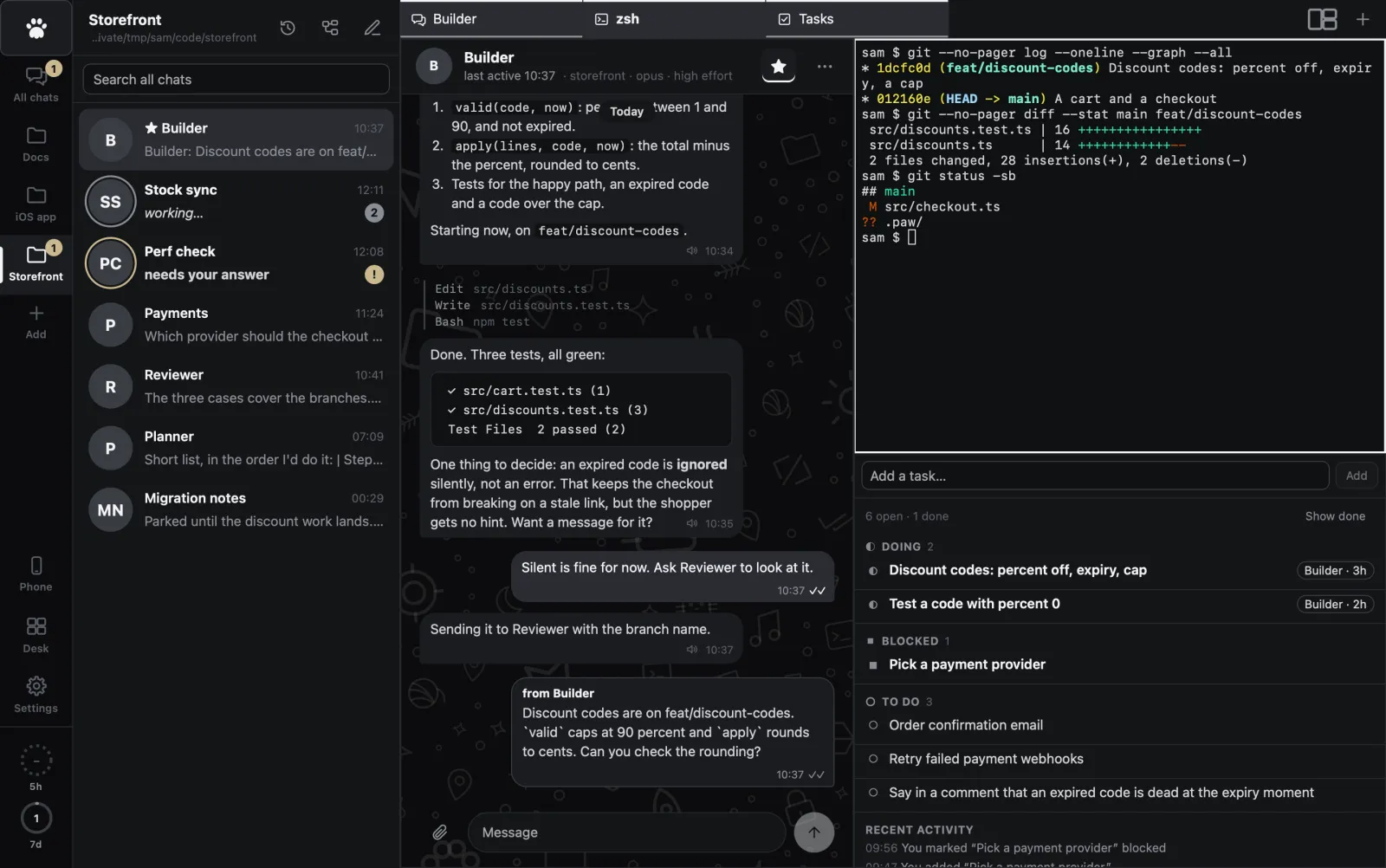
Each project has its own workspace of tabs: files with diffs,
real terminals, a real browser the agent can drive and you can
watch or take over, notes with diagrams and history, tasks,
media. No second app to keep in sync.
Paw, Storefront
06
Tiling
Tile it like you tile windows.
Drag a tab, a chat, a History row or a file onto the workspace
and it snaps to a half or a quarter, the way macOS tiles
windows. Dividers drag. Pick a layout in one click.
Presets: 1, 1:1, 1/1, 1:2, 2:1 and 2:2
Up to four panes, each showing one tab
Works from the keyboard too: Space picks a tab up, arrows aim,
Enter drops
demos/tilingDrag tabs onto halves and quarters
Try it: grab a tab and drop it on the right half.
07
Review
Look before it lands.
Review shows an agent's branch as side-by-side or unified diffs
with the changed words marked. Leave a comment and it goes to
the agent. When you are happy, merge, with a check that the tree
is clean.
demos/reviewA branch diff you can comment on and merge
Comment on a line, then try to merge.
08
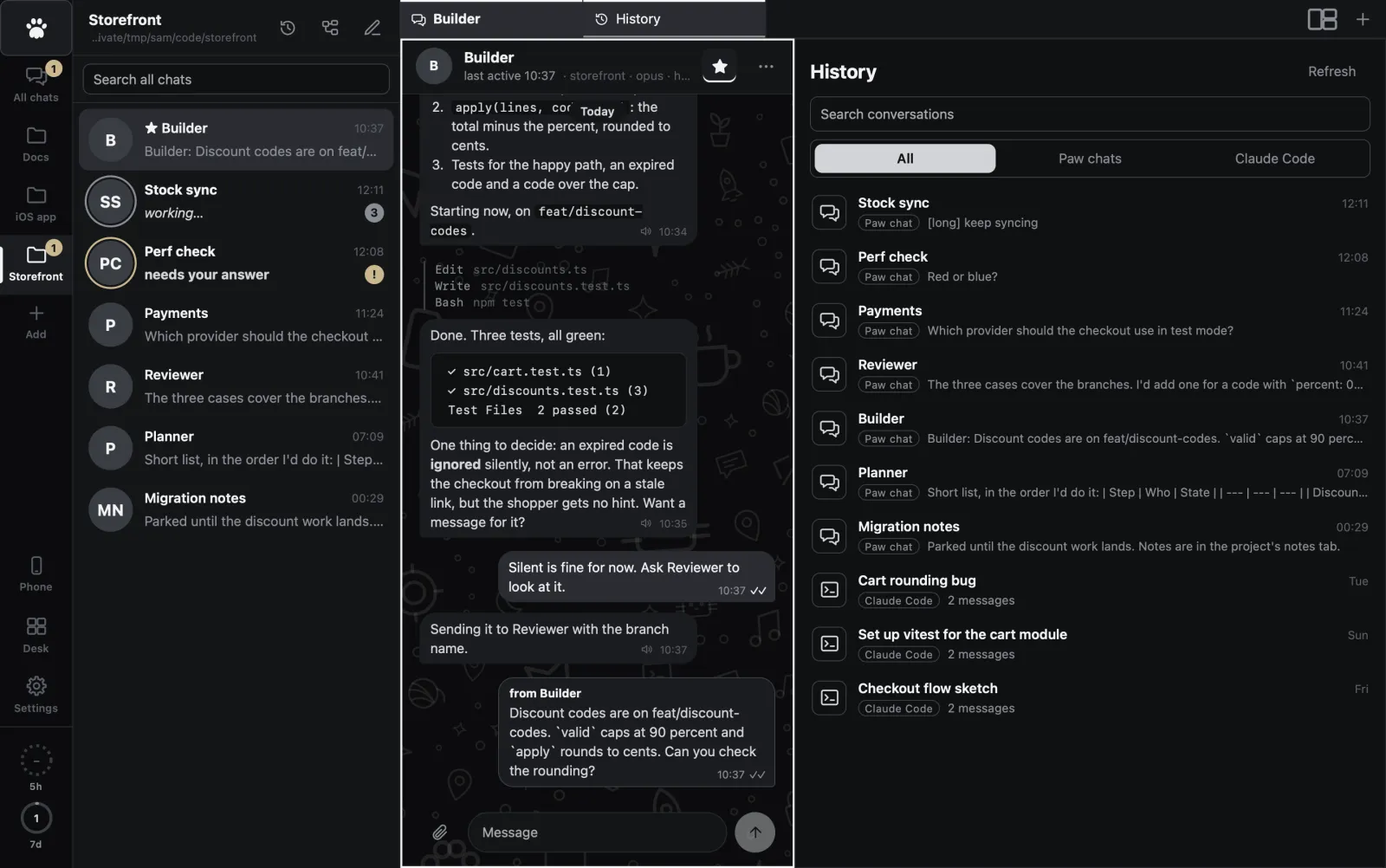
History
Every conversation, kept.
History lists every Paw chat and every Claude Code conversation
from the project folder, including the ones you ran in a
terminal. Search them. Open one to read it. Continue an old one
in Paw: it forks, so the original stays untouched.
Paw, History
09
Anywhere
It follows you to your phone.
The same UI runs on your phone as an installable web app, over
Tailscale and nowhere else. Chats are cached and messages queue,
so it opens offline. Put the whole thing on a server and your
agents keep working while the laptop sleeps.
BuilderSplitting the exporter in two. Tests pass on 41 of 43. Fixing
the last two. Done, both green.
Press the button. The agent keeps working.
Loki
Meet Loki. He read the whole guide.
Loki is a ginger tabby and Paw's built-in help. Ask him how to
split the screen or move a chat, and he answers from the real
guide, short and a bit smug. He only knows how to use Paw, he says
so when he doesn't know, and he can't change anything for you.
LokiPoke me. See what happens.
demos/lokiAsk Loki a question about Paw
And more
The details that add up.
Settings in one place
Cmd+, opens them over everything. Default folder, sleep delay, text size, voice.