Claude Code on your phone
Answer your Claude Code agents from your phone.
Claude Code lives in a terminal, and terminals are bad on a phone. Paw turns each agent into a chat, so you can see who is working, answer a question, send a screenshot and move on. It reaches your phone over Tailscale, and nothing is open to the public internet.
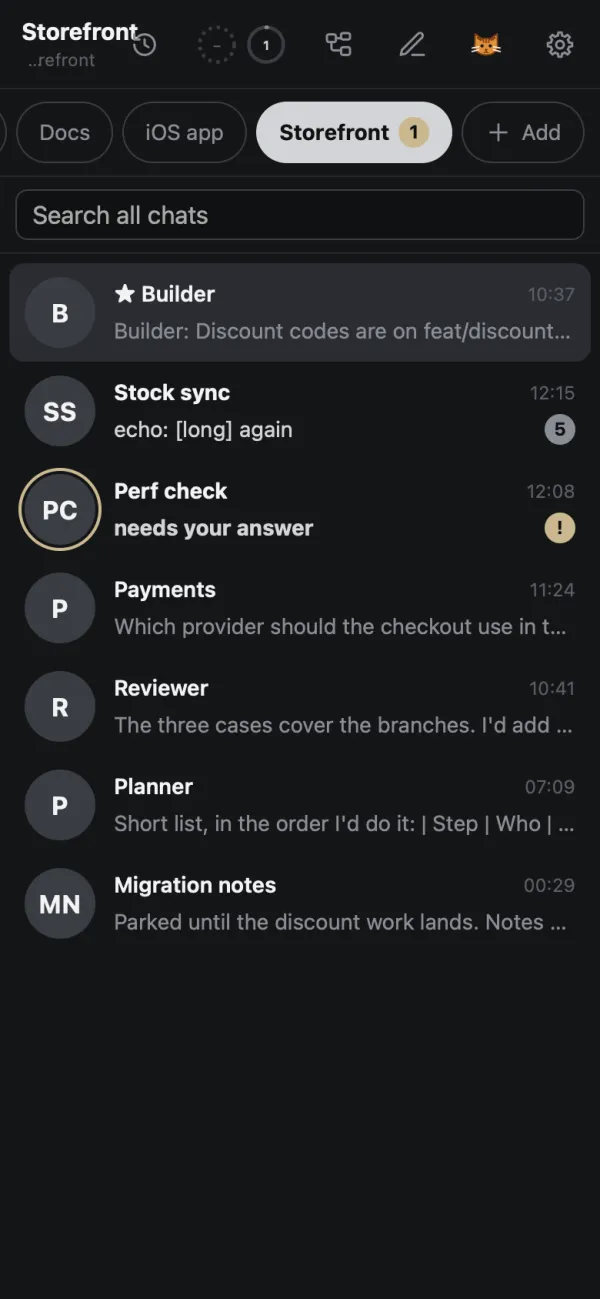
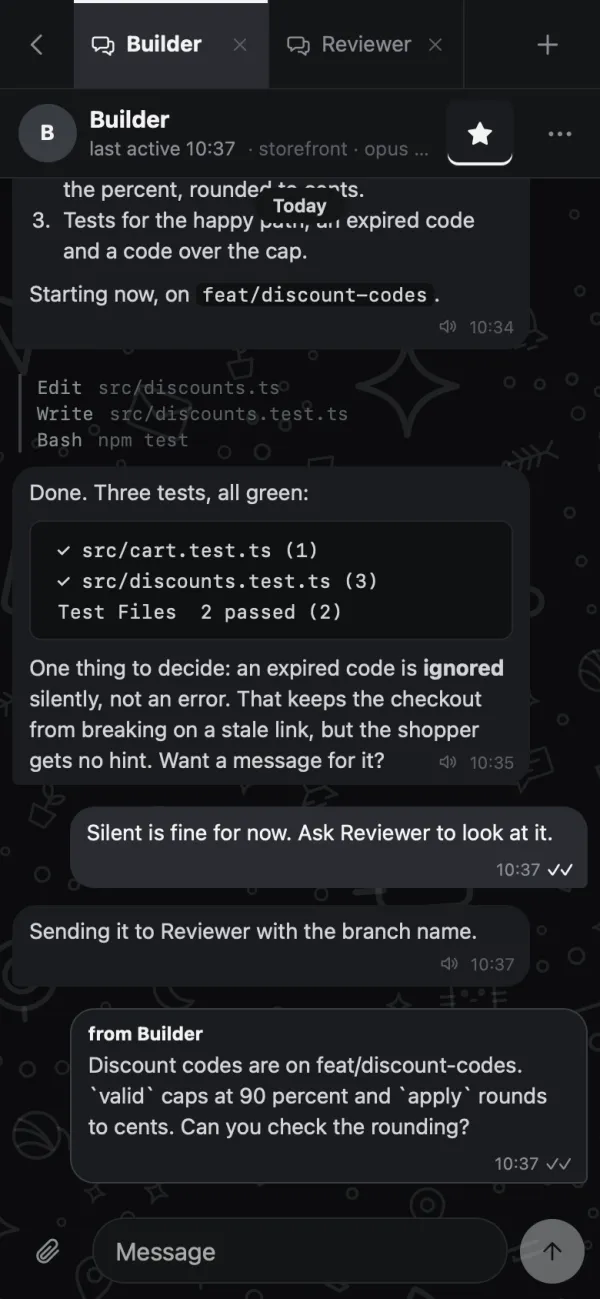
What you get
The same chats, in your pocket.
The phone is not a cut-down version. It is the same Paw that runs on your Mac, in a layout made for a thumb.
- A list of your project's chats with a ring on the ones that are working and a badge for what you have not read
- "Needs your answer" shows in the list, and Claude's questions come as buttons you tap
- Send text, pictures and files, or reply to one message
- Push notifications when an agent finishes a long task, needs you, or something goes wrong
- The Desk: every project on one screen, so you see which one needs you
- Files, diffs, terminals, notes and tasks are there too, in tabs
Set it up
Four steps, one command.
-
Install Tailscale on both
Put Tailscale on the computer that runs Paw and on your phone, logged in to the same account. It is free for personal use. It is how your phone reaches Paw without a public address.
-
Press Phone in Paw
The Phone button in the rail shows one command. Run it once in a terminal, then press "Check again".
tailscale serve --bg http://127.0.0.1:7290 -
Open the link on your phone
Paw shows a link. Open it on the phone. The link carries your token, so treat it like a password and don't share it.
-
Add it to the home screen
Use your browser's "Add to Home Screen". It then opens like an app and keeps the app and your chats for offline use. Turn on "Notifications on this phone" in the same dialog if you want push, and use "Send a test" to check it.
The real limits
What to know before you rely on it.
| Limit | What it means |
|---|---|
| The agents don't run on the phone | Your phone is a window. The agents run on the computer that runs Paw. If that is your laptop and it sleeps, they stop. To avoid that, run Paw on a server. |
| Tailscale is required | Both devices need it. That is the price of having no public port. |
| Push needs the https link | Notifications use the https address Tailscale gives you. Without it the app works, you just don't get pushes. |
| Offline is for reading | Chats you opened are cached, and messages you write wait on the phone and go out in order when you are back. Nothing runs while you are offline. |
| Install is through the browser | There is no app store app. You add Paw to the home screen from the browser menu. |
If Funnel is on, Paw tells you
Tailscale Funnel would open the address to the whole internet. If it is on, Paw warns you and shows the command that turns it off.
Keep reading
Run Claude Code on a server
Keep agents working while your laptop sleeps, and use the same chats from your phone.
Manage several agents
One chat each, one task list, and a Desk that shows which project needs you.
Try it on your own agents.
Paw is a private beta for Apple Silicon Macs. Write for the next batch and say what you run Claude Code on.