Features
What Paw does, in full.
Nine groups, no fluff. If a feature isn't listed here, Paw doesn't have it yet.
Chat
Telegram's look, with agents on the other end.
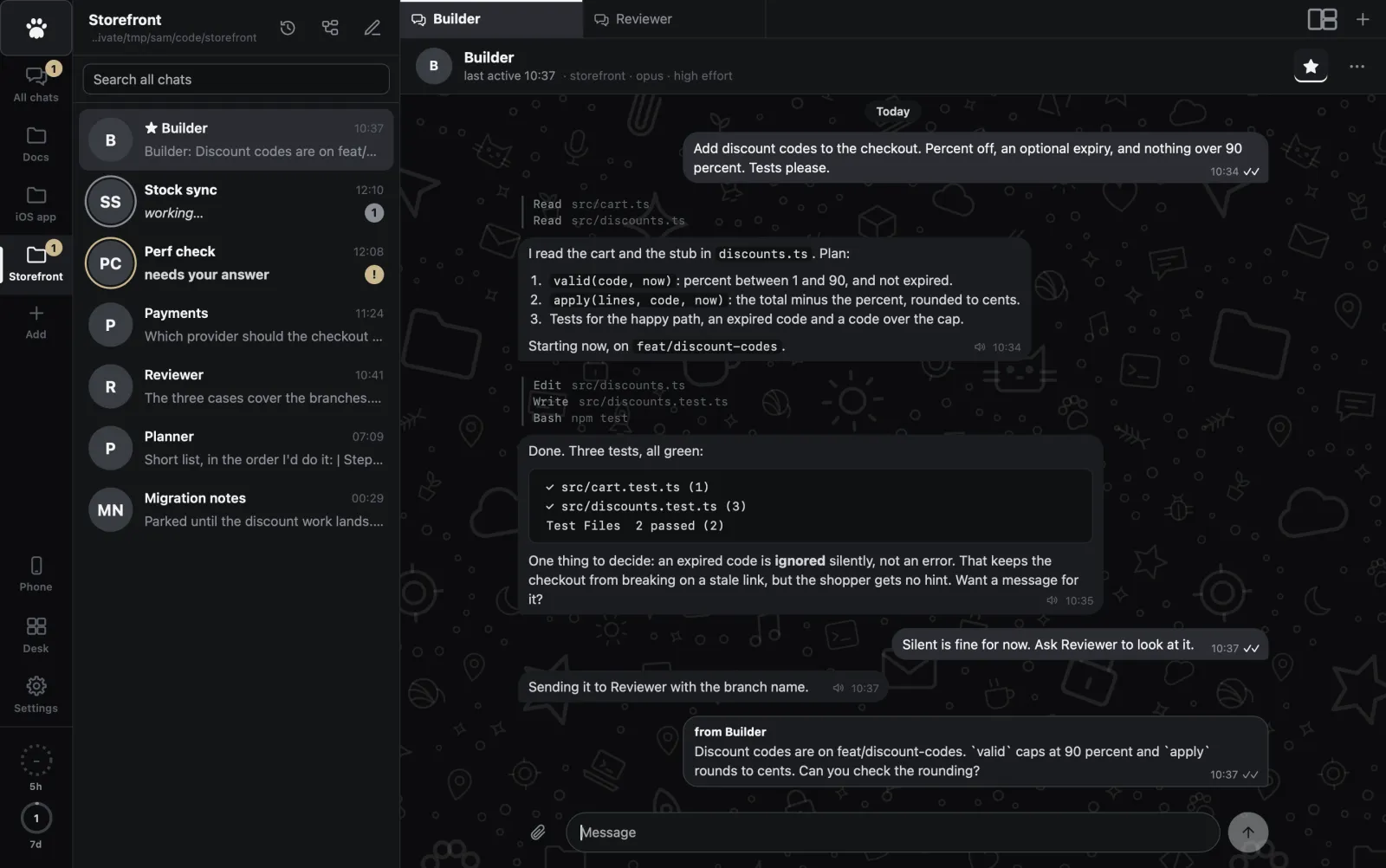
A chat per agent
Chats sit in projects, which are folders. Starred chats come first and never sleep. An agent starts on your first message and sleeps after the idle time you set.
State you can see
A ring on the avatar for working, a solid ring and a badge for needs you. Shape and weight carry it, never just a colour.
Questions as buttons
When Claude asks you to choose, the options are buttons in the chat. Tap one and it carries on.
Model and effort per chat
Opus, Fable, Sonnet or Haiku, from low effort to max. Set per chat, with defaults in Settings.
Notifications that count
One when a task finishes, one when an agent needs you. On the Mac, and as push on your phone.
Voice in, voice out
Talk to an agent with local whisper. The text lands in the box and you send it yourself. Answers can be read aloud.
Team
Agents are not alone in a folder. They talk.
They message each other
A message from another agent shows in the chat as "from Builder", so you always know who said what.
One shared task list
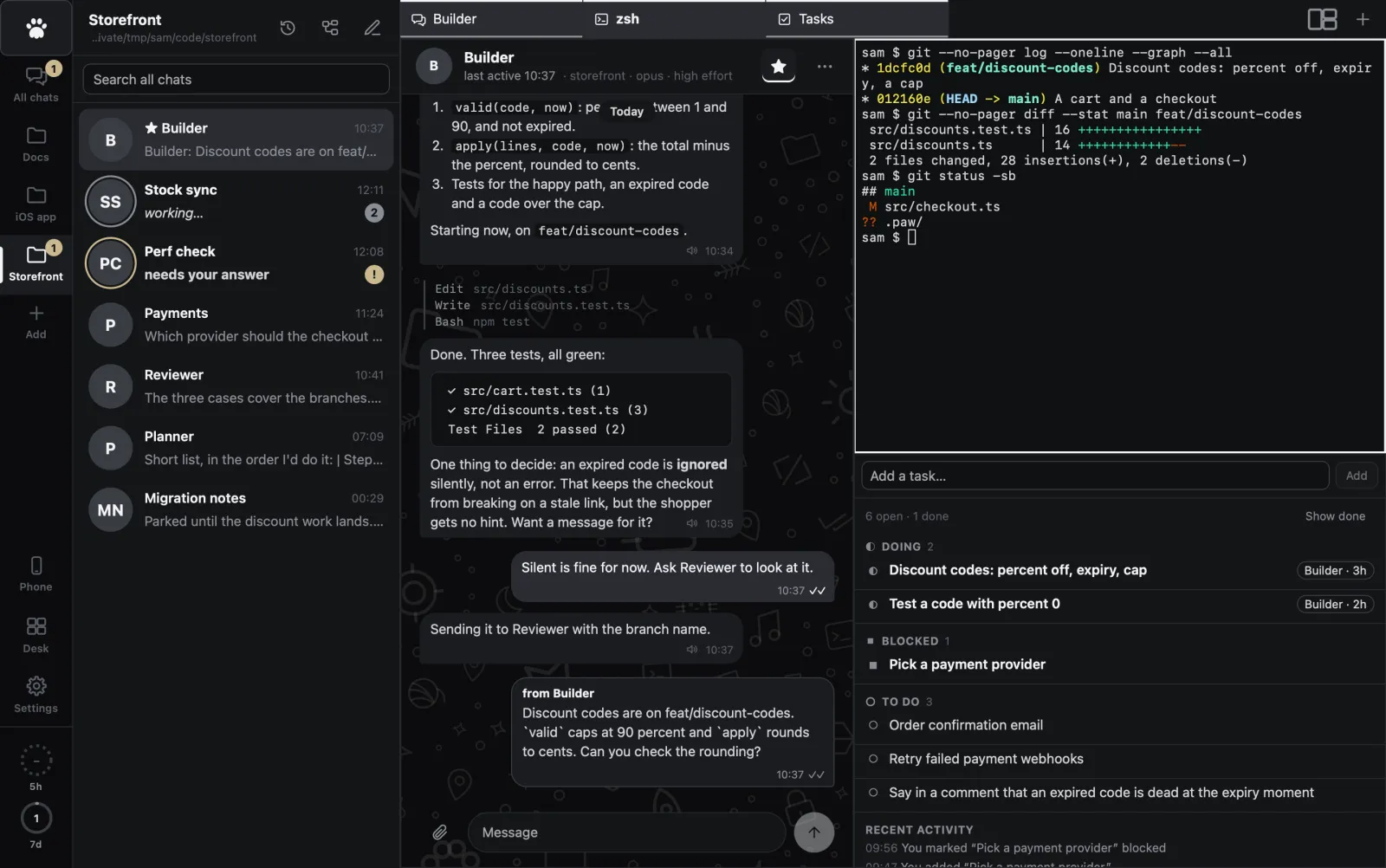
Agents and you claim, update and finish the same tasks. Nobody does a job twice.
They read each other's work
Inside one project an agent can read the other chats, read and edit the notes you see in the Notes tab, and look at your terminals. It can type into one too, and you watch it appear. Another project is out of reach.
They send you things
Files, pictures, small HTML reports and diagrams show up right in the chat.
The Map
One conversation in the middle, with the files, notes, sites and agents it touched around it. Drag the pieces where you want them.
The Desk
Every project as a card with live status: who is working, who needs you, unread, open tasks, running terminals. Alt+M opens it, and Esc takes you back to exactly where you were. Drag the cards where you want them: they snap to a grid and stay put on every device.

Workspace
A project is more than a chat. The rest is in tabs next to it.
Files and diffs
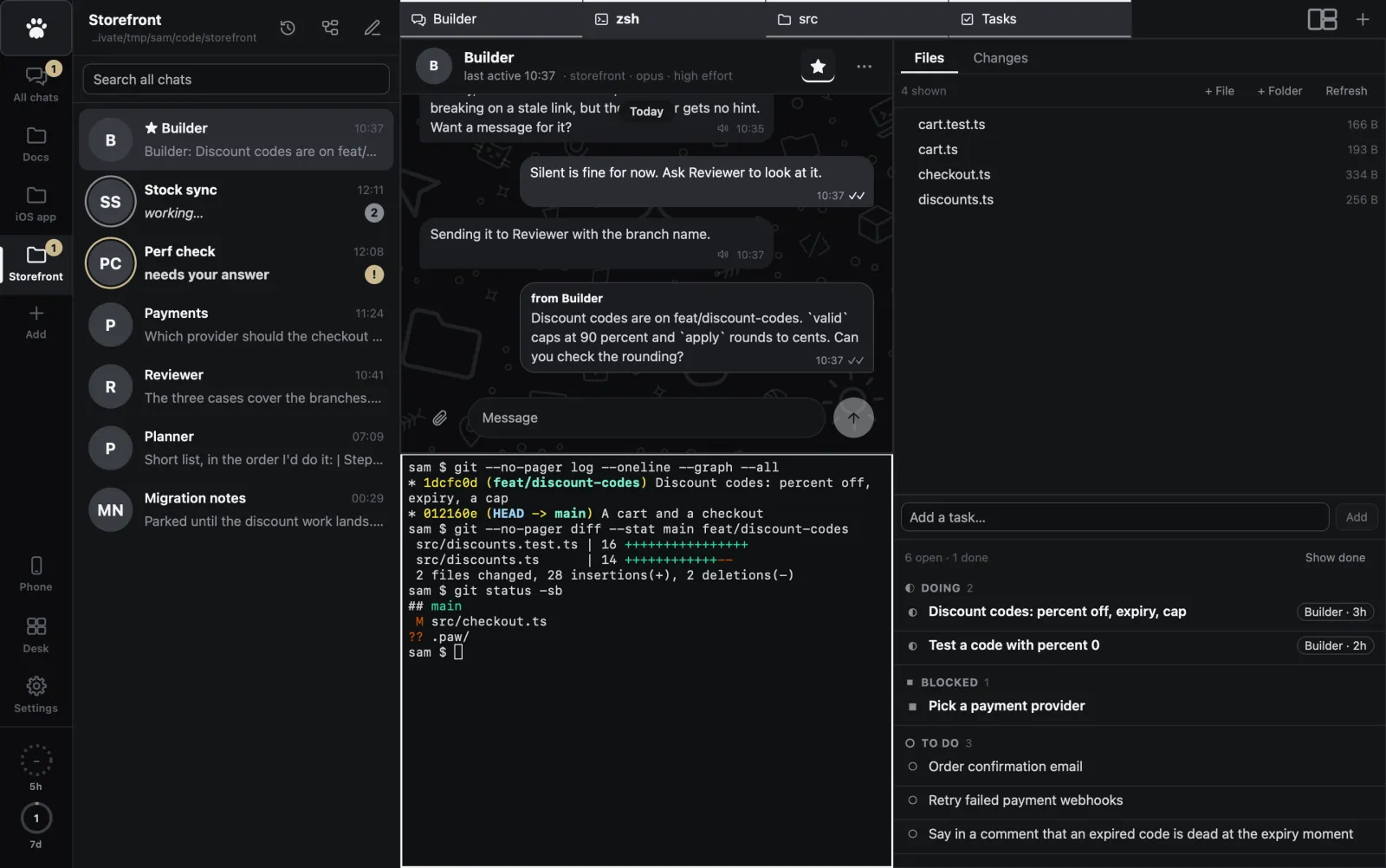
Browse the project, open files, see what changed. Rename and delete from the file list.
Real terminals
Real shells, as many as you want, in tabs. Agents can read them too.
A real browser
Agents drive it. You watch, and you can take over when they get stuck.
Notes
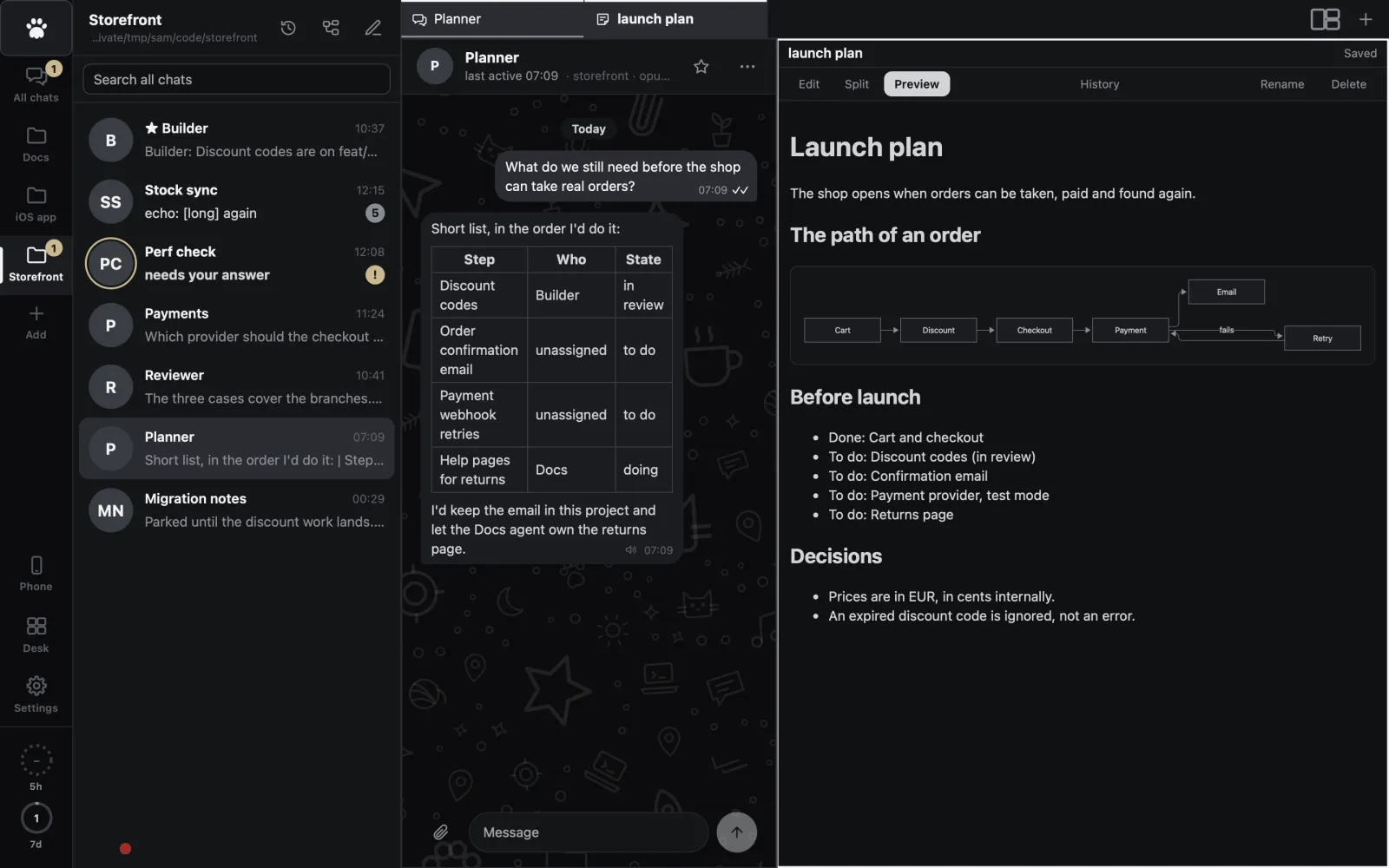
Markdown notes with diagrams, pictures and history. Agents write them as well as you.
Tasks
The shared list, as a view: doing, blocked, to do, done, and who did what.
Media
Pictures, audio and video that agents made or you dropped in, shown in the workspace.
Tiling
The window manager you wanted inside the app.
Drag a tab onto the workspace. Every pane lights up with drop zones: the left or right half, the top or bottom, a quarter. Drop a chat from the list, a History row or a file the same way. The dividers drag, and a layout button picks a preset in one click.
Paw shows you the way once. The first time a project has two tabs open, a small hint under the strip shows a tab sliding to a half. Hover any tab for a second and it says "Drag to split". Right-click a tab and pick "Open to the side" for the quick way. How many panes fit depends on the window: one on a phone, up to four on a wide screen, and your layout comes back when the window is wide again.
1
1:1
1/1
1:2
2:1
2:2
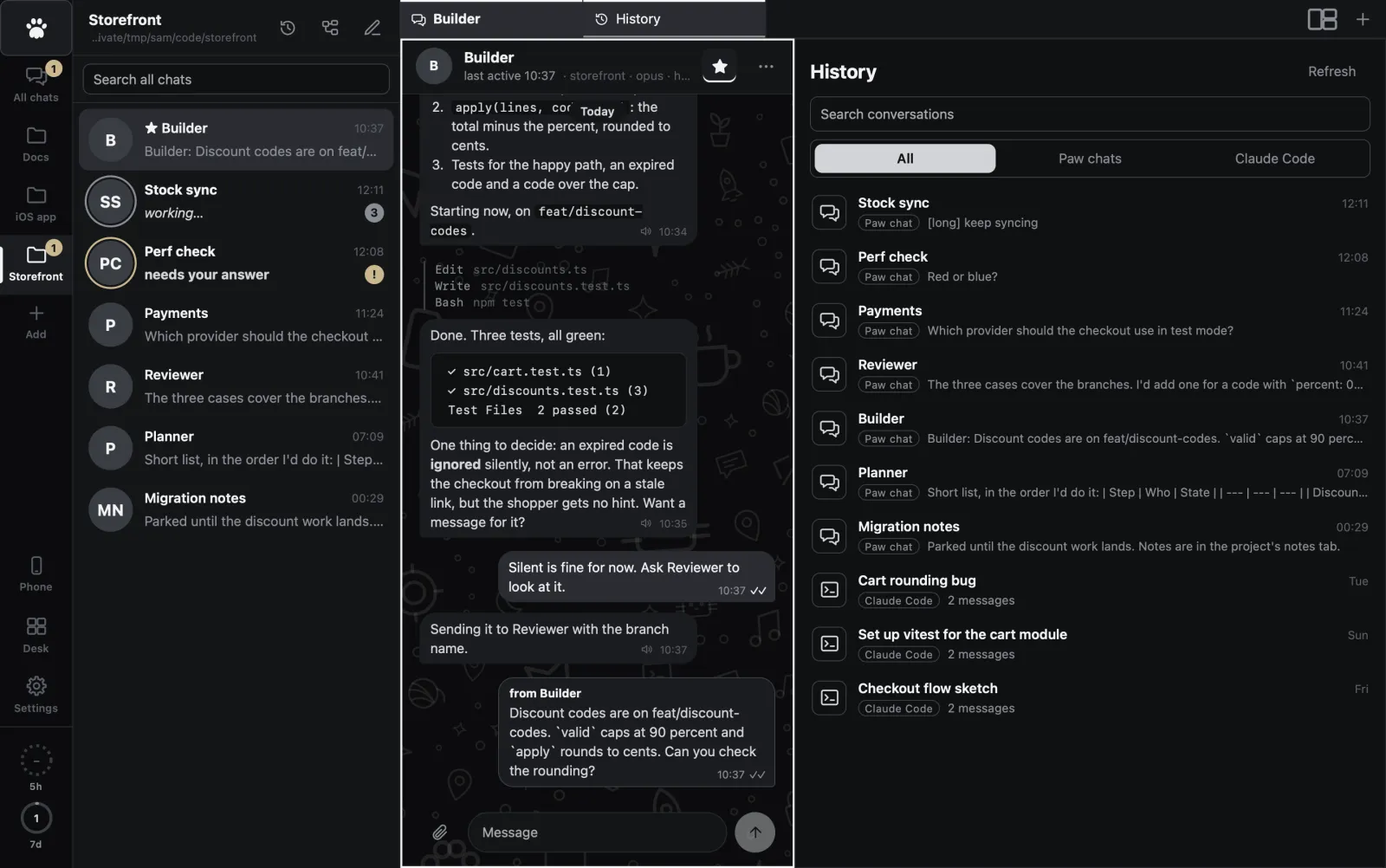
History and Review
Find what was said. Check what was done.
Every conversation
Paw chats, active, asleep or archived, and every Claude Code conversation from that folder, even ones you ran in a terminal. Newest first, searchable.
Continue any old one
Open an old Claude Code conversation in Paw. It forks, so the original stays as it was for your terminal.
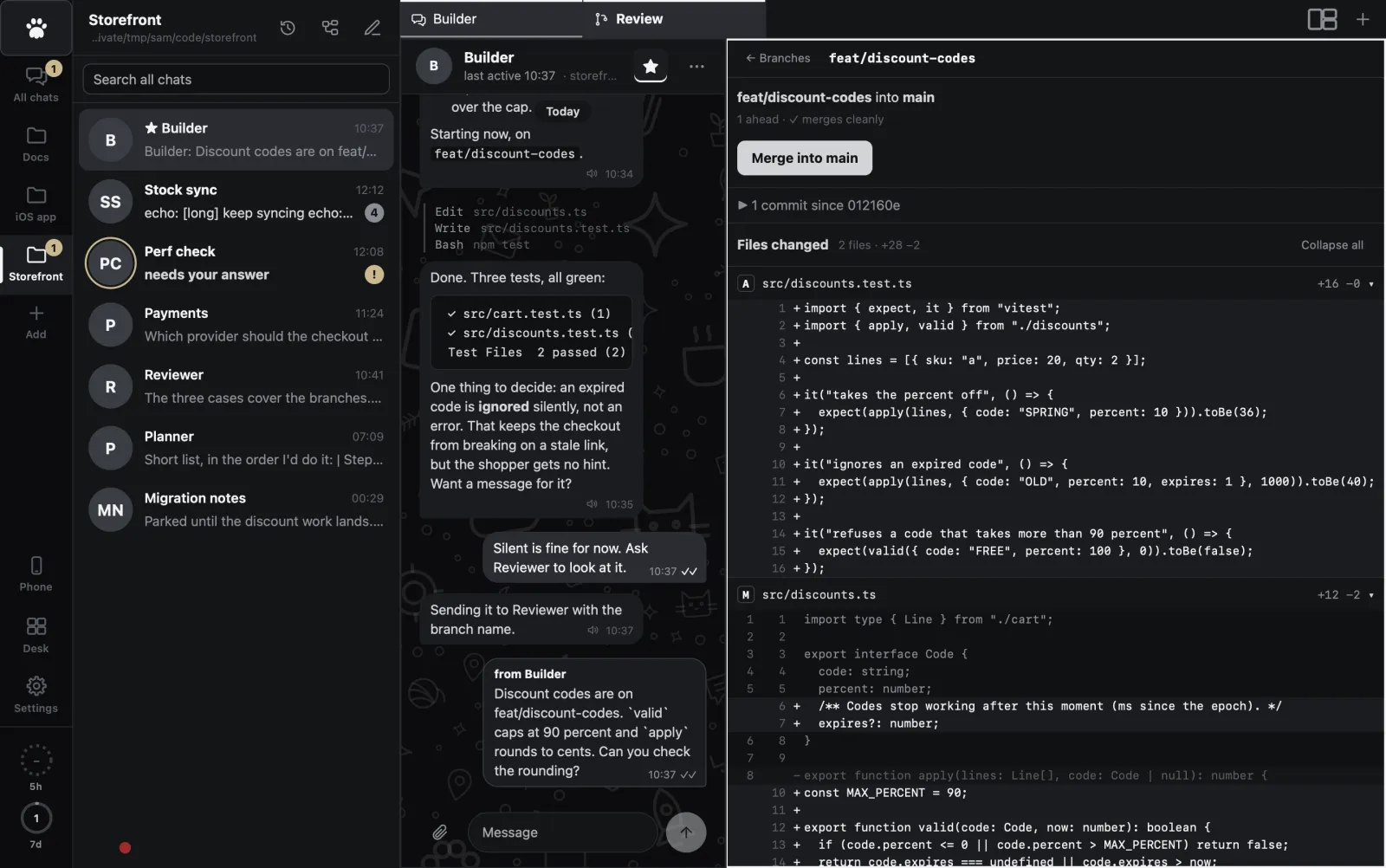
Real diffs
Side by side or unified, with the changed words marked inside each line.
Comments go to the agent
Click a line, write a comment, and it goes to the agent working on that branch. No copy and paste.
Merge with a check
Branches are listed with how far ahead they are and whether they merge cleanly. Merging is blocked while main has uncommitted changes.
Help and Settings
Ask Paw how it works. Set it up once, in one place.
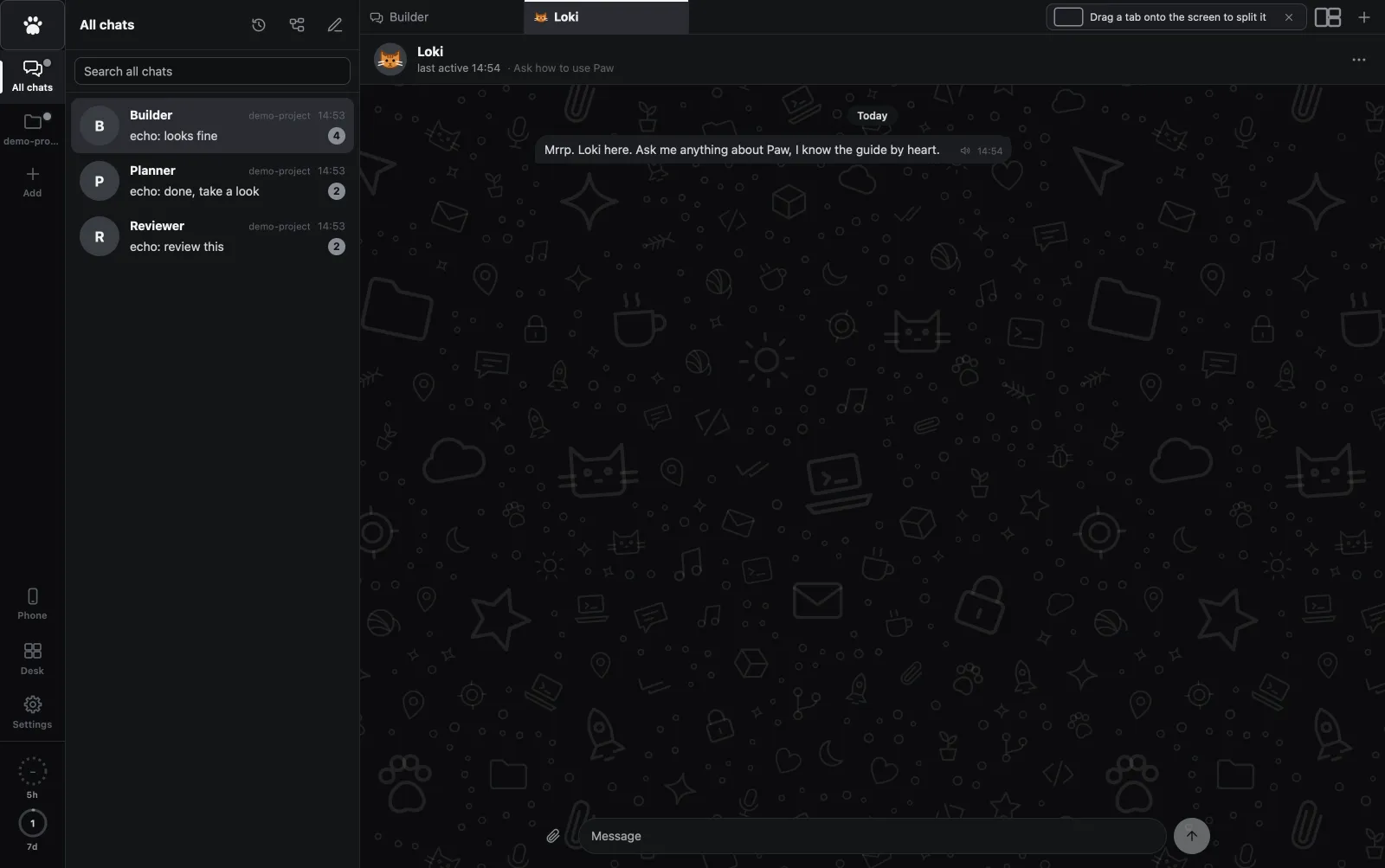
Loki, the help cat
The white paw at the top of the rail opens him in a tab. On a phone it is the cat in the chat list header. Loki is a chat that has read the whole guide, so you can ask how to split the screen or remove a project and get the steps. He has no tools: he can tell you what to do, never do it, and he says so when the guide does not cover something. He is in no chat list and no History, and "Start over" clears him.
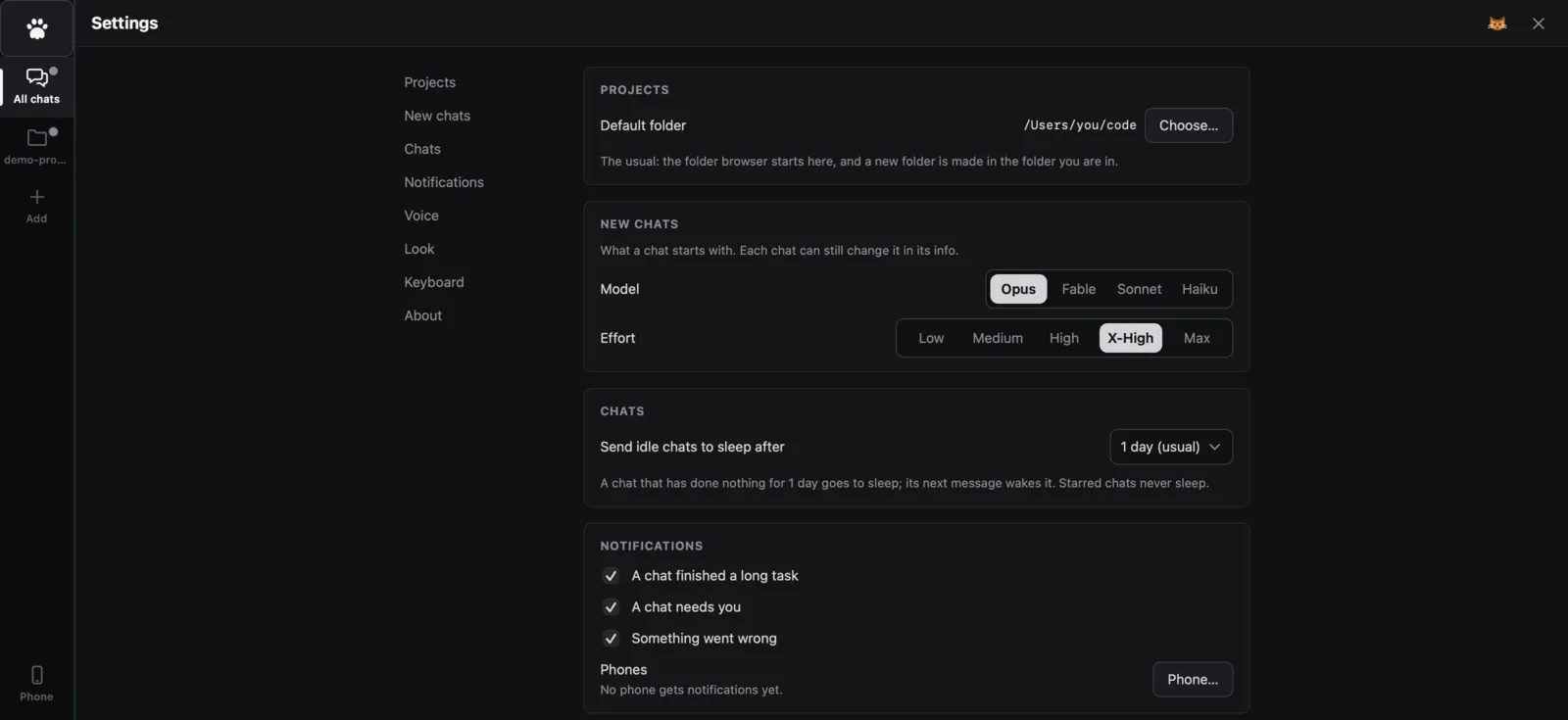
Settings on one screen
Cmd+, (Ctrl+, on Windows and Linux) opens them from anywhere, over your tabs, which stay exactly as they were. The default folder for new projects, the model and effort of new chats, when idle chats go to sleep, notifications, voice, text size and the keyboard shortcuts are all there.
Keyboard first
Alt+M opens the Desk. Cmd+, opens Settings. Cmd+1 to 8 jump to a tab, Cmd+W closes one, and Cmd+Alt+Arrow moves between panes. On Windows and Linux use Ctrl.
Phone and Server
Same app, anywhere you are.
An installable web app
Open the link on your phone and add it to the home screen. Chats are cached and messages queue, so it opens offline.
Run it on a server
Put Paw on a small Linux box and agents keep working while your laptop sleeps.
Over Tailscale
Your phone reaches Paw through your own Tailscale network. There is no public address.
Made for a thumb
On a phone you see one screen at a time: the chat list, then a chat. Projects sit in a strip along the top, the Desk is a button in it, and the Back button goes back to the list. The page never pans sideways.
Security
Boring on purpose.
Owner only
The port you use only lets in your own Tailscale login, plus a token. You name that login when you deploy, for example you@gmail.com, and Paw will not start on a server without one.
Agents get their own door
Agents on the machine use a separate local port with a token. It is never exposed.
Nothing public
Paw listens on localhost. Nothing is open to the internet, and Paw warns you if Tailscale Funnel would change that.
Speed
Small, and quick to open.
Guides
Three ways people use it.
Claude Code on your phone
Answer your agents from the couch. Chats, push alerts and pictures, over Tailscale.
Claude Code on a server
Long tasks survive a closed lid. Owner-only, with no public port.
Many agents at once
One chat each, a shared task list, and a Desk that shows who needs you.